Appearance
About React
- A component is a pure function from props to JSX.
- A pure function:
- Gives the same output for the same input.
- Has no side effects.
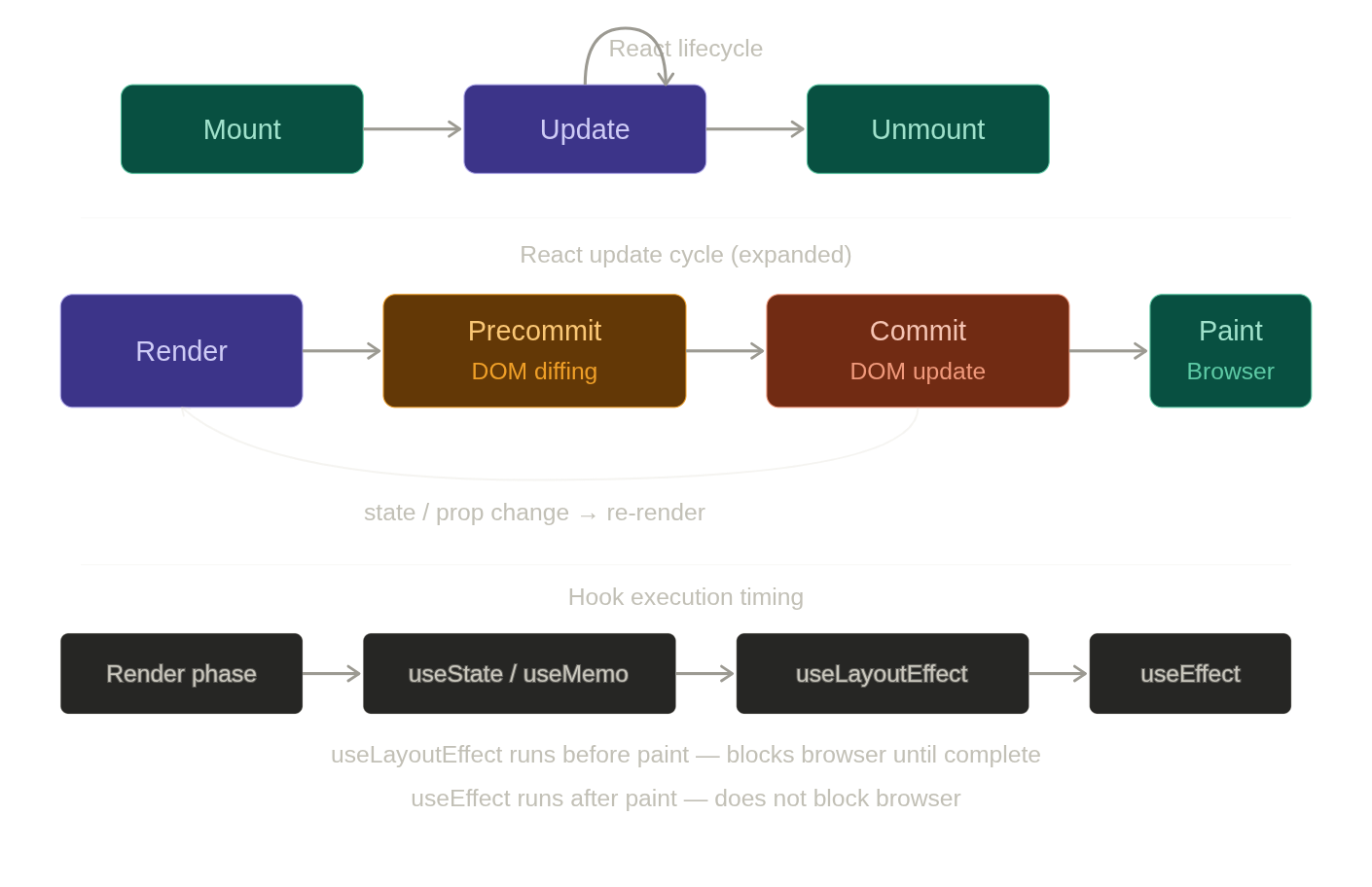
- React Hooks are special functions in React that let you use features such as state, lifecycle, and context inside functional components, without writing class components.
Few extras (don't know where to put)
The key attribute accepts either string or number and internally converts it as string type
The Shadow DOM is a browser technology designed primarily for scoping variables and CSS in web components. Part of real DOM (scoped)
A
controlled componentis a React component that fully manages the form element's state(e.g, elements like<input>,<textarea>, or<select>)) using React's internal state mechanism. i.e, The component does not manage its own internal state — instead, React acts as the single source of truth for form data.A
Portalis a React feature that enables rendering children into a DOM node that exists outside the parent component's DOM hierarchy, while still preserving the React component hierarchy. Portals help avoid CSS stacking issues—for example, elements with position: fixed may not behave as expected inside a parent with transform. Portals solve this by rendering content (like modals or tooltips) outside such constrained DOM contexts.JSX helps prevent Cross-Site Scripting (XSS) attacks by automatically escaping values that you insert into the UI.
jsx
const userInput = '<script>alert("Hacked!")</script>';
function App() {
  return <div>{userInput}</div>;
}
Browser recieves :
jsx
<div>
<script>alert("Hacked!")</script>
</div>In React, it is recommended to use composition over inheritance to reuse code between components
React hydrationis used to add client-side JavaScript interactivity to pre-rendered static HTML generated by the server. It is used only for server-side rendering(SSR) to enhance the initial rendering time and make it SEO friendly application. This hydration acts as a bridge to reduce the gap between server side and client-side rendering. After the page loaded with generated static HTML, React will add application state and interactivity by attaching all event handlers for the respective elements.